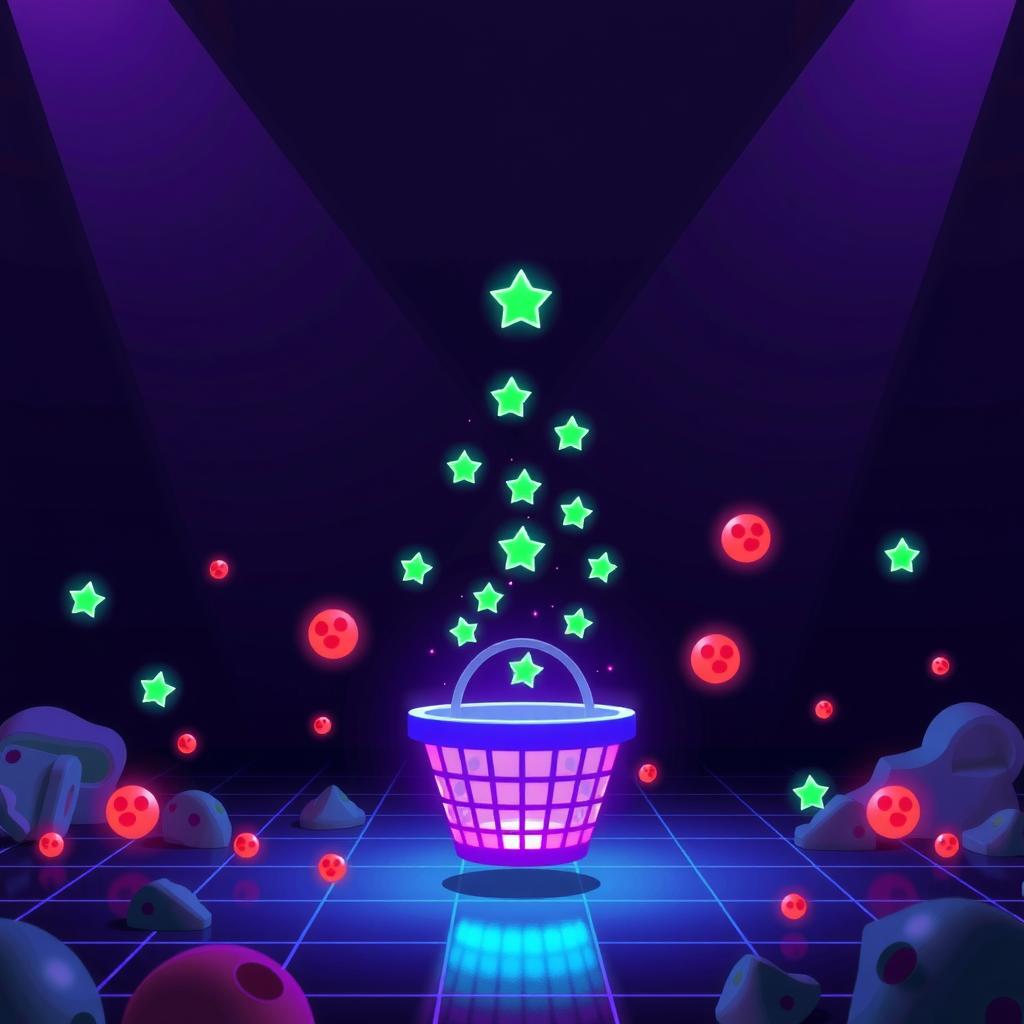
Build a Phaser Collector Game with AI: Prompts, Code, and Playable Result
Here’s a different kind of Phaser game — instead of dodging enemies, you catch falling stars while avoiding hazards. It teaches object pooling, overlap detection, and timed spawning, all mechanics you’ll reuse in any action game.
The full prototype took three prompts with DeepSeek V4 Flash. Here’s exactly how.
What We’re Building
A collector game where a player-controlled basket moves left and right at the bottom of the screen. Green stars fall from the top — catch them for points. Red hazards fall too — touch one and it’s game over. Difficulty increases as more objects spawn over time.
Core mechanics:
- Player movement with arrow keys or WASD
- Falling objects spawn from a group (pooled, not created/destroyed)
- Overlap detection for catch and collision
- Score counter with speed scaling
- Game over and restart
Prompt 1: Core Game
The first prompt builds the entire game structure. The key was being specific about what the player sees and what happens on collision:
“Create a Phaser.js 3 game where the player is a blue rectangle at the bottom of the screen that moves left and right with arrow keys. Green circles (stars) fall from random x-positions at the top. Catch a star — score +1. Red circles (hazards) also fall. Touch a hazard — game over with a ‘Game Over’ message. Press R to restart. Score text at top-left. Stars and hazards recycle from a pool — don’t create new objects every frame.”
This prompt set up five Phaser concepts in one pass: generateTexture() for assets, physics groups for pooling, overlap() for catch detection, collider() for game-over, and scene restart.
What the AI Output
The initial output was 95 lines of working JavaScript. It handled:
- Sprite generation via
this.make.graphics()+generateTexture() - A physics group for falling objects with
maxSize: 20 getFirstDead()recycling pattern — objects that fall offscreen are deactivated and reused- Arrow key input via
this.input.keyboard.createCursorKeys() physics.add.overlap()for star collectionphysics.add.collider()for hazard hits
What Needed Fixing
Two issues on the first pass:
- Score text stacking — The AI created the score text inside
update()instead ofcreate(), so a new text object was added every frame. Stacking dozens of text objects on top of each other made the score unreadable. - Hazard collision worked but the game-over text wasn’t centered — The AI used hardcoded coordinates instead of
this.scale.width / 2.
Prompt 1 fix prompt: “Move the score text to create(). Center the game-over text using this.scale.width / 2.”
Prompt 2: Difficulty Scaling
The base game was playable but static — stars fell at the same rate forever. A collector game needs escalating difficulty:
“Make the game harder over time. Every 5 seconds, increase the spawn rate and the fall speed. Display the current difficulty level under the score. Top speed cap at 300. Max spawn interval of 800ms.”
The AI added a difficulty variable that increments every 5 seconds via this.time.addEvent():
this.difficultyTimer = this.time.addEvent({
  delay: 5000,
  callback: () => {
    this.difficulty = Math.min(this.difficulty + 1, 10);
    this.spawnRate = Math.max(800, 2000 - this.difficulty * 120);
    this.fallSpeed = Math.min(300, 120 + this.difficulty * 18);
  },
  loop: true
});
The spawning logic uses the current spawnRate to determine the timer delay, and each recycled falling object gets this.fallSpeed applied as its Y velocity.
Prompt 3: Visual Polish
The game worked but lacked visual feedback. A third pass added juice:
“Add a small particle burst when catching a star. Change the basket color briefly on catch. Show the final score in the game-over text. Use a warm dark background (#0f1120).”
DeepSeek V4 Flash handled the particle burst by creating a simple fade-out tween on a small circle — no external particle system needed:
// Burst effect on catch
const burst = this.add.circle(star.x, star.y, 6, 0x00ff88);
this.tweens.add({
  targets: burst,
  alpha: 0,
  scaleX: 3,
  scaleY: 3,
  duration: 300,
  onComplete: () => burst.destroy()
});
The basket color flash uses a setTint() + tween back to original:
this.player.setTint(0x88ff88);
this.time.delayedCall(150, () => this.player.clearTint());
The Complete Code
Here’s the full game — 146 lines of JavaScript that build a complete, polished collector game:
<script src="https://cdn.jsdelivr.net/npm/[email protected]/dist/phaser.min.js"></script>
<div id="game"></div>
<script>
const W = 680, H = 480;

class CollectorScene extends Phaser.Scene {
  constructor() { super({ key: 'CollectorScene' }); }

  preload() {
    let g = this.make.graphics({ add: false });
    g.fillStyle(0x00ff88);
    g.fillCircle(12, 12, 10);
    g.generateTexture('star', 24, 24);

    let h = this.make.graphics({ add: false });
    h.fillStyle(0xff3355);
    h.fillCircle(12, 12, 10);
    h.generateTexture('hazard', 24, 24);

    let b = this.make.graphics({ add: false });
    b.fillStyle(0x4488ff);
    b.fillRect(0, 0, 48, 14);
    b.generateTexture('basket', 48, 14);

    g.destroy(); h.destroy(); b.destroy();
  }

  create() {
    this.score = 0;
    this.difficulty = 1;
    this.spawnRate = 2000;
    this.fallSpeed = 120;
    this.gameOver = false;

    this.player = this.physics.add.sprite(W/2, H-30, 'basket');
    this.player.setCollideWorldBounds(true);

    this.fallingGroup = this.physics.add.group({
      maxSize: 20,
      runChildUpdate: false
    });

    this.cursors = this.input.keyboard.createCursorKeys();

    this.scoreText = this.add.text(16, 16, 'Score: 0', {
      fontSize: '18px', fill: '#e6edf3', fontFamily: 'monospace'
    });

    this.diffText = this.add.text(16, 40, 'Level: 1', {
      fontSize: '14px', fill: '#8892a0', fontFamily: 'monospace'
    });

    this.gameOverText = this.add.text(W/2, H/2, '', {
      fontSize: '32px', fill: '#ff3355', fontFamily: 'monospace', fontStyle: 'bold'
    }).setOrigin(0.5).setVisible(false);

    this.restartText = this.add.text(W/2, H/2 + 40, '', {
      fontSize: '16px', fill: '#8892a0', fontFamily: 'monospace'
    }).setOrigin(0.5).setVisible(false);

    this.input.keyboard.on('keydown-R', () => {
      if (this.gameOver) this.scene.restart();
    });

    this.physics.add.overlap(this.player, this.fallingGroup, (p, item) => {
      if (item.getData('type') === 'star' && item.active) {
        this.score++;
        this.scoreText.setText('Score: ' + this.score);
        this.catchBurst(item.x, item.y);
        this.player.setTint(0x88ff88);
        this.time.delayedCall(150, () => this.player.clearTint());
        item.setActive(false).setVisible(false);
        item.body.enable = false;
      }
    });

    this.physics.add.collider(this.player, this.fallingGroup, (p, item) => {
      if (item.getData('type') === 'hazard' && item.active && !this.gameOver) {
        this.endGame();
      }
    });

    this.spawnTimer = this.time.addEvent({
      delay: this.spawnRate,
      callback: this.spawnItem,
      callbackScope: this,
      loop: true
    });

    this.difficultyTimer = this.time.addEvent({
      delay: 5000,
      callback: () => {
        this.difficulty = Math.min(this.difficulty + 1, 10);
        this.spawnRate = Math.max(800, 2000 - this.difficulty * 120);
        this.fallSpeed = Math.min(300, 120 + this.difficulty * 18);
        this.spawnTimer.delay = this.spawnRate;
        this.diffText.setText('Level: ' + this.difficulty);
      },
      loop: true
    });
  }

  spawnItem() {
    const isStar = Math.random() < 0.65;
    const item = this.fallingGroup.get();
    if (!item) return;

    const x = Phaser.Math.Between(24, W - 24);
    const tex = isStar ? 'star' : 'hazard';
    item.setTexture(tex);
    item.setData('type', isStar ? 'star' : 'hazard');
    item.setPosition(x, -20);
    item.setActive(true).setVisible(true);
    item.body.enable = true;
    item.body.reset(x, -20);
    item.setVelocityY(this.fallSpeed);
  }

  catchBurst(x, y) {
    const burst = this.add.circle(x, y, 6, 0x00ff88);
    this.tweens.add({
      targets: burst, alpha: 0, scaleX: 3, scaleY: 3,
      duration: 300, onComplete: () => burst.destroy()
    });
  }

  endGame() {
    this.gameOver = true;
    this.physics.pause();
    this.gameOverText.setText('Game Over').setVisible(true);
    this.restartText.setText('Score: ' + this.score + '  |  Press R to restart').setVisible(true);
  }

  update() {
    if (this.gameOver) return;

    this.player.setVelocityX(0);
    if (this.cursors.left.isDown) this.player.setVelocityX(-280);
    else if (this.cursors.right.isDown) this.player.setVelocityX(280);

    this.fallingGroup.getChildren().forEach(item => {
      if (item.active && item.y > H + 30) {
        item.setActive(false).setVisible(false);
        item.body.enable = false;
      }
    });
  }
}

new Phaser.Game({
  type: Phaser.AUTO, width: W, height: H,
  parent: 'game', backgroundColor: '#0f1120',
  physics: { default: 'arcade', arcade: { gravity: { y: 0 } } },
  scene: [CollectorScene]
});
</script>
What You Learned
| Concept | Implementation |
|---|---|
| Programmatic textures | generateTexture() from Graphics objects |
| Object pooling | physics.add.group({ maxSize }) with getFirstDead() |
| Overlap detection | physics.add.overlap() for scoring |
| Collision detection | physics.add.collider() for game-over |
| Timed difficulty | time.addEvent() with dynamic delay and speed |
| Visual feedback | Tweens for particle burst and color flash |
Try It Yourself
Copy the code above into an HTML file and open it in a browser. Then try remixing:
- Different hazard ratio — Change
Math.random() < 0.65to make the game easier or harder - Power-ups — Add a rare gold star worth 5 points with a different color
- Shrink the basket — Reduce basket width by 10% every 3 levels
- Multi-color stars — Create different star types with different point values
- High score — Save the best score to
localStorage
What AI Handled vs What We Fixed
AI built the complete game structure in one pass (~95 lines). Human direction was needed for:
- Proper scene lifecycle (create vs update placement)
- Centered positioning
- Difficulty curves that feel fair
- Visual polish (particle effects, color feedback)
Total cost for the three-prompt session: under $0.01 in API usage on DeepSeek V4 Flash. The complete game is 146 lines, each line either generated or directed by AI prompts.