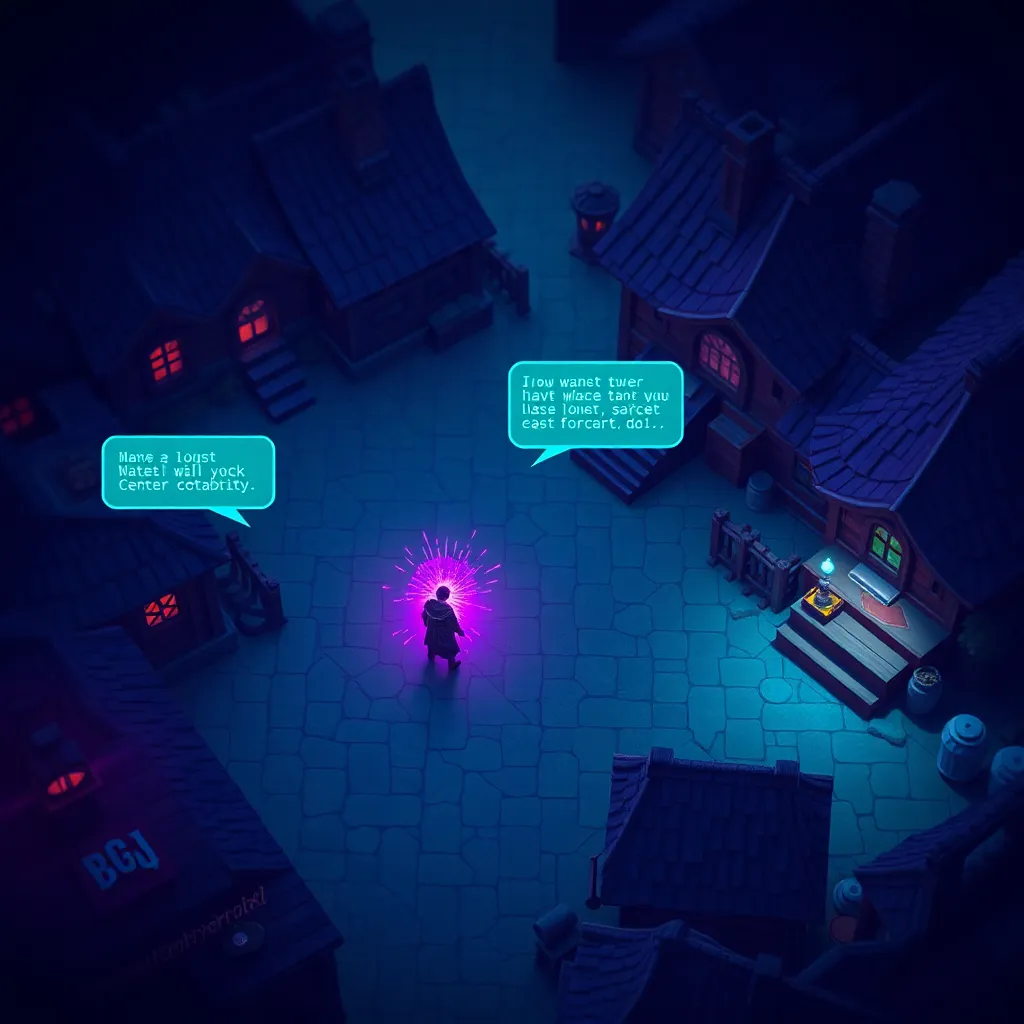
Guide: How to Build AI NPCs for Your Browser Game
Guide: How to Build AI NPCs for Your Browser Game
If you’ve been anywhere near game development in 2026, you’ve noticed one trend dominating every conference talk, every YouTube tutorial, and every indie dev Discord: AI NPCs. Non-player characters powered by large language models are no longer a tech demo curiosity — they’re becoming the baseline expectation for immersive games. Players want characters that talk back, remember what you said, and feel like they have lives of their own.
The good news? You don’t need a AAA budget or a PhD in machine learning to build one. With a browser, a free-tier LLM API, and a handful of JavaScript, you can have a fully conversational, personality-driven NPC running in your game this afternoon. That’s exactly what we’re going to build together in this guide.
Whether you’re a total beginner who’s never touched game dev, or a web developer curious about adding AI to your projects, this walkthrough will take you from zero to a working AI NPC system. Let’s get into it.
What You’ll Build
By the end of this guide, you’ll have:
- A modular AI NPC class in plain JavaScript that calls an LLM API to generate responses
- A character card system so you can define unique personalities for any number of NPCs
- Conversation memory that lets NPCs remember past interactions with the player
- A basic game integration pattern ready to wire into Phaser.js or any browser game engine
- Practical cost control and safety guardrails so your API bill doesn’t spiral out of control
No frameworks required for the core logic — just vanilla JavaScript you can drop into any project.
What Is an AI NPC?
In traditional game development, NPCs follow scripted dialogue trees. A designer writes every possible line the character can say, and the player navigates a branching menu:
Player: "Tell me about the dragon."
NPC:    "The dragon lives in the northern caves."
  → [Ask about the caves] → next scripted branch
  → [Ask about something else] → different scripted branch
This approach works, but it has hard limits. The NPC can only say what a writer anticipated. Ask something off-script and you get the dreaded “I have nothing more to say” response. The character feels like a vending machine — insert the right button prompt, receive the canned answer.
An AI NPC replaces that rigid tree with a large language model. Instead of pre-written lines, the NPC has a personality description (called a system prompt or character card) and generates responses dynamically based on what the player actually says. The result is a character that can:
- Answer unexpected questions in character
- React to the player’s tone and choices
- Remember previous conversations
- Feel genuinely alive rather than like a menu with a portrait
The tradeoff? You’re making an API call every time the player talks to the NPC, which costs money and introduces latency. We’ll address both of those concerns head-on in the final step.
Tools You Need
You only need three things to follow along:
- A modern web browser — Chrome, Firefox, Edge, or Safari. That’s where your game runs.
- An LLM API key — We’ll use OpenRouter, which gives you access to hundreds of models through one API. DeepSeek V4 Flash is our go-to for game NPCs: fast, cheap, and surprisingly good at roleplay. You get free credits when you sign up, which is plenty for development.
- Basic JavaScript knowledge — You should be comfortable with variables, functions, objects, and
async/await. You do not need any prior game development experience.
That’s it. No game engine install, no build tools, no node_modules folder. Just a browser and an API key.
Step 1: Setting Up a Simple NPC Dialogue System
Let’s start with the absolute foundation: a function that sends a player’s message to an LLM and gets a response back. This is the beating heart of every AI NPC system.
Create a new file called npc.js and add the following:
// npc.js — AI NPC Dialogue Engine

const OPENROUTER_API_KEY = "your-api-key-here";
const MODEL = "deepseek/deepseek-v4-flash";

async function getAIResponse(messages) {
  const response = await fetch("https://openrouter.ai/api/v1/chat/completions", {
    method: "POST",
    headers: {
      "Content-Type": "application/json",
      "Authorization": `Bearer ${OPENROUTER_API_KEY}`,
      "HTTP-Referer": window.location.href,
      "X-Title": "My AI NPC Game"
    },
    body: JSON.stringify({
      model: MODEL,
      messages: messages,
      max_tokens: 200,
      temperature: 0.8
    })
  });

  if (!response.ok) {
    throw new Error(`API error: ${response.status} ${response.statusText}`);
  }

  const data = await response.json();
  return data.choices[0].message.content;
}

// Quick test
async function testNPC() {
  const reply = await getAIResponse([
    { role: "user", content: "Hello, who are you?" }
  ]);
  console.log("NPC says:", reply);
}

testNPC();
Open your browser console on any local page and paste this in. You should see the model respond with a generic greeting. That’s working — but it’s not very NPC-like yet. The model doesn’t know it’s supposed to be a character. Let’s fix that.
Step 2: Giving Your NPC a Personality
The secret to a believable AI NPC is the system prompt — a special message that tells the model who it is before the conversation starts. Think of it as a character sheet you’d write for a tabletop RPG session.
Let’s build a system that lets you define multiple NPCs with different personalities:
// npc-characters.js — Character Card System

const NPC_CHARACTERS = {
  elara: {
    name: "Elara",
    systemPrompt: `You are Elara, a 300-year-old elven blacksmith who runs a weapon shop in the fantasy village of Thornhaven. You speak with quiet confidence and occasionally use old-fashioned phrasing. You love talking about metallurgy and get visibly excited when discussing rare ores. You are friendly but a little mysterious — you hint that you once forged a weapon for a legendary hero but never give the full story. Keep your responses to 2-3 sentences. Never break character. Never mention being an AI.`
  },
  grunk: {
    name: "Grunk",
    systemPrompt: `You are Grunk, a grumpy but lovable troll who guards a bridge in the game world. You speak in short, blunt sentences and have terrible grammar. You love riddles and demand anyone who crosses your bridge answer one first. You secretly enjoy company because you're lonely. Keep your responses to 1-3 sentences. Never break character. Never mention being an AI.`
  },
  professor_lexi: {
    name: "Professor Lexi",
    systemPrompt: `You are Professor Lexi, an enthusiastic young human scholar who runs the village library. You speak quickly, use big words, and often catch yourself mid-ramble to apologize for going off on tangents. You know everything about the game world's history. You're eager to help and give detailed answers. Keep your responses to 2-4 sentences. Never break character. Never mention being an AI.`
  }
};

function buildMessages(characterKey, playerMessage) {
  const character = NPC_CHARACTERS[characterKey];
  if (!character) {
    throw new Error(`Unknown character: ${characterKey}`);
  }

  return [
    { role: "system", content: character.systemPrompt },
    { role: "user", content: playerMessage }
  ];
}
Now update your testNPC function to use a character:
async function testCharacter(characterKey, playerMessage) {
  const messages = buildMessages(characterKey, playerMessage);
  const reply = await getAIResponse(messages);
  console.log(`${NPC_CHARACTERS[characterKey].name} says:`, reply);
}

// Try each NPC
testCharacter("elara", "What's the best weapon you've ever made?");
testCharacter("grunk", "I want to cross the bridge.");
testCharacter("professor_lexi", "Tell me about this village.");
Run those three calls and you’ll immediately hear the difference — Elara speaks like a wise artisan, Grunk grumbles about the bridge, and Lexi launches into an enthusiastic history lecture. Same API, same model, completely different characters. That’s the power of a good system prompt.
Tips for writing great NPC system prompts
- Be specific about speech patterns — “uses short sentences” or “speaks formally” guides tone better than “is friendly”
- Set boundaries — Tell the NPC to stay in character and never reveal it’s an AI
- Include personality quirks — These make characters memorable (Elara’s obsession with ores, Grunk’s loneliness)
- Limit response length — “Keep to 2-3 sentences” prevents the NPC from writing essays
- Give backstory context — The model uses this to generate relevant, in-world responses
Step 3: Giving Your NPC Memory
Right now, each call to the LLM is stateless — the NPC forgets everything the moment it responds. A real conversation needs memory. We’ll implement this by maintaining a conversation history array that grows with each exchange:
// npc-memory.js — NPC with Conversation Memory

class NPCConversation {
  constructor(characterKey) {
    const character = NPC_CHARACTERS[characterKey];
    if (!character) {
      throw new Error(`Unknown character: ${characterKey}`);
    }

    this.name = character.name;
    this.messages = [
      { role: "system", content: character.systemPrompt }
    ];
    this.maxHistory = 20; // Keep last 20 messages to control token usage
  }

  async sendMessage(playerMessage) {
    // Add the player's message to history
    this.messages.push({ role: "user", content: playerMessage });

    // Trim history if it gets too long (keep system prompt + last N messages)
    if (this.messages.length > this.maxHistory + 1) {
      const systemPrompt = this.messages[0];
      const recentMessages = this.messages.slice(-(this.maxHistory));
      this.messages = [systemPrompt, ...recentMessages];
    }

    // Call the LLM with full conversation context
    const reply = await getAIResponse(this.messages);

    // Add NPC's reply to history so it "remembers" saying it
    this.messages.push({ role: "assistant", content: reply });

    return reply;
  }

  reset() {
    // Start a fresh conversation
    const character = NPC_CHARACTERS[this.name.toLowerCase().replace(" ", "_")];
    if (character) {
      this.messages = [
        { role: "system", content: character.systemPrompt }
      ];
    }
  }

  getHistory() {
    // Return conversation history (excluding system prompt)
    return this.messages
      .filter(m => m.role !== "system")
      .map(m => ({
        speaker: m.role === "user" ? "Player" : this.name,
        text: m.content
      }));
  }
}
Let’s test the memory system:
async function testMemory() {
  const elara = new NPCConversation("elara");

  const reply1 = await elara.sendMessage("Hello! What's your name?");
  console.log("Elara:", reply1);

  const reply2 = await elara.sendMessage("You mentioned your name earlier — what was it again?");
  console.log("Elara:", reply2);

  // Elara should remember her name from the first message!
  // Let's check the conversation history
  console.log("Conversation history:", elara.getHistory());
}

testMemory();
In the second message, the player asks Elara to recall something from earlier in the conversation. Because we pass the full message history to the API each time, the model has access to everything that’s been said. Elara will confidently repeat her name — she remembers.
The maxHistory limit is important for cost control. Each message in the array adds tokens to your API call. Keeping the last 20 messages (10 exchanges) gives the NPC enough context to feel conversational without blowing your budget on long conversations.
Step 4: Wiring the NPC into a Game Context
Now let’s connect our NPC system to an actual game. We’ll use Phaser.js, the most popular open-source browser game framework, to show how this integrates. The same pattern works with any engine — the NPC logic is fully decoupled from rendering.
// game-npc.js — Integrating AI NPCs with Phaser.js

class GameNPC {
  constructor(scene, characterKey, x, y, spriteKey) {
    this.scene = scene;
    this.characterKey = characterKey;
    this.conversation = new NPCConversation(characterKey);
    this.isTalking = false;
    this.interactionRadius = 80; // pixels

    // Create the NPC sprite in the Phaser scene
    this.sprite = scene.add.sprite(x, y, spriteKey);
    this.sprite.setInteractive({ useHandCursor: true });

    // Show a name label above the NPC
    this.nameLabel = scene.add.text(x, y - 40, NPC_CHARACTERS[characterKey].name, {
      fontSize: "14px",
      fontFamily: "monospace",
      color: "#00ffcc",
      backgroundColor: "#1a1a2e",
      padding: { x: 6, y: 3 }
    }).setOrigin(0.5);

    // Create dialogue bubble (hidden by default)
    this.dialogueBubble = scene.add.text(x, y - 65, "", {
      fontSize: "13px",
      fontFamily: "monospace",
      color: "#ffffff",
      backgroundColor: "#2d2d5e",
      padding: { x: 10, y: 6 },
      wordWrap: { width: 250 }
    }).setOrigin(0.5).setVisible(false);
  }

  async handlePlayerInput(playerMessage) {
    if (this.isTalking) return; // Prevent spamming

    this.isTalking = true;
    this.showThinking();

    try {
      const reply = await this.conversation.sendMessage(playerMessage);
      this.showDialogue(reply);
    } catch (error) {
      console.error("NPC error:", error);
      this.showDialogue("*The merchant clears their throat awkwardly.*");
    } finally {
      this.isTalking = false;
    }
  }

  showDialogue(text) {
    this.dialogueBubble.setText(text).setVisible(true);

    // Auto-hide after 6 seconds
    if (this.dialogueTimer) {
      this.scene.time.removeEvent(this.dialogueTimer);
    }
    this.dialogueTimer = this.scene.time.delayedCall(6000, () => {
      this.dialogueBubble.setVisible(false);
    });
  }

  showThinking() {
    this.dialogueBubble.setText("...").setVisible(true);
  }

  isPlayerInRange(playerX, playerY) {
    const dx = playerX - this.sprite.x;
    const dy = playerY - this.sprite.y;
    return Math.sqrt(dx * dx + dy * dy) < this.interactionRadius;
  }
}
Then, in your Phaser scene, you’d use it like this:
// Example Phaser scene setup
class GameScene extends Phaser.Scene {
  constructor() {
    super({ key: "GameScene" });
  }

  create() {
    // Create a simple player
    this.player = this.add.sprite(400, 300, "player");

    // Spawn AI NPCs
    this.npcs = [
      new GameNPC(this, "elara", 200, 200, "elf_sprite"),
      new GameNPC(this, "grunk", 500, 400, "troll_sprite"),
      new GameNPC(this, "professor_lexi", 350, 150, "scholar_sprite")
    ];

    // Player input field (in a real game, you'd use a proper UI)
    this.chatInput = document.createElement("input");
    this.chatInput.type = "text";
    this.chatInput.placeholder = "Talk to an NPC...";
    this.chatInput.style.position = "fixed";
    this.chatInput.style.bottom = "20px";
    this.chatInput.style.left = "50%";
    this.chatInput.style.transform = "translateX(-50%)";
    this.chatInput.style.width = "300px";
    this.chatInput.style.padding = "8px";
    document.body.appendChild(this.chatInput);

    this.chatInput.addEventListener("keydown", (event) => {
      if (event.key === "Enter" && this.chatInput.value.trim()) {
        const message = this.chatInput.value.trim();
        this.chatInput.value = "";

        // Find the nearest NPC and send the message
        const nearest = this.findNearestNPC();
        if (nearest) {
          nearest.handlePlayerInput(message);
        }
      }
    });
  }

  findNearestNPC() {
    let closest = null;
    let closestDist = Infinity;

    for (const npc of this.npcs) {
      if (npc.isPlayerInRange(this.player.x, this.player.y)) {
        const dx = this.player.x - npc.sprite.x;
        const dy = this.player.y - npc.sprite.y;
        const dist = Math.sqrt(dx * dx + dy * dy);
        if (dist < closestDist) {
          closestDist = dist;
          closest = npc;
        }
      }
    }
    return closest;
  }
}
The key design principle here is separation of concerns. The NPCConversation class handles all AI logic — it doesn’t know or care whether it’s running in Phaser, a text adventure, or a React app. The GameNPC class is a thin adapter that connects the AI to the game’s visuals. You could swap Phaser for Kaboom.js, Three.js, or plain DOM manipulation and only the GameNPC wrapper changes.
Step 5: Cost Control and Safety
An AI NPC that makes unlimited API calls is a financial time bomb. Here are the critical guardrails you need before you let players anywhere near your system:
// npc-guardrails.js — Cost Control and Safety

class NPCRateLimiter {
  constructor(options = {}) {
    this.maxCallsPerMinute = options.maxCallsPerMinute || 10;
    this.maxCallsPerPlayer = options.maxCallsPerPlayer || 30;
    this.callTimestamps = [];
    this.playerCalls = new Map(); // playerId -> [timestamps]
  }

  canMakeCall(playerId = "default") {
    const now = Date.now();
    const oneMinuteAgo = now - 60_000;

    // Global rate limit
    this.callTimestamps = this.callTimestamps.filter(t => t > oneMinuteAgo);
    if (this.callTimestamps.length >= this.maxCallsPerMinute) {
      return { allowed: false, reason: "Too many conversations at once. Please wait a moment." };
    }

    // Per-player rate limit
    const playerCalls = (this.playerCalls.get(playerId) || []).filter(t => t > oneMinuteAgo);
    if (playerCalls.length >= this.maxCallsPerPlayer) {
      return { allowed: false, reason: "You've been talking a lot! Take a short break." };
    }

    // Record this call
    this.callTimestamps.push(now);
    this.playerCalls.set(playerId, [...playerCalls, now]);

    return { allowed: true };
  }
}

// Simple response cache to avoid re-calling the API for identical inputs
class NPCResponseCache {
  constructor(ttlMs = 300_000) { // 5 minute default TTL
    this.cache = new Map();
    this.ttl = ttlMs;
  }

  get(characterKey, playerMessage) {
    const key = `${characterKey}:${playerMessage.toLowerCase().trim()}`;
    const entry = this.cache.get(key);

    if (entry && Date.now() - entry.timestamp < this.ttl) {
      return entry.response; // Cache hit!
    }

    this.cache.delete(key); // Expired
    return null; // Cache miss
  }

  set(characterKey, playerMessage, response) {
    const key = `${characterKey}:${playerMessage.toLowerCase().trim()}`;
    this.cache.set(key, {
      response,
      timestamp: Date.now()
    });

    // Evict old entries if cache gets too large
    if (this.cache.size > 500) {
      const oldestKey = this.cache.keys().next().value;
      this.cache.delete(oldestKey);
    }
  }
}

// Content safety filter
class NPCContentFilter {
  constructor() {
    this.blockedPatterns = [
      /\b(hack|exploit|cheat)\b/i,     // Block gaming exploits
      /\b(ignore previous|forget your)\b/i, // Block prompt injection attempts
    ];
  }

  filterPlayerInput(message) {
    for (const pattern of this.blockedPatterns) {
      if (pattern.test(message)) {
        return {
          safe: false,
          message: "The character looks confused and changes the subject."
        };
      }
    }
    return { safe: true, message };
  }

  filterNPCResponse(response) {
    // Remove any accidental API/model references
    const cleaned = response
      .replace(/\b(OpenAI|API|language model|LLM|AI assistant)\b/gi, "magic")
      .trim();

    return cleaned;
  }
}

// Putting it all together — a guarded NPC system
class GuardedNPCSystem {
  constructor() {
    this.rateLimiter = new NPCRateLimiter({ maxCallsPerMinute: 10 });
    this.cache = new NPCResponseCache(300_000);
    this.contentFilter = new NPCContentFilter();
  }

  async getResponse(characterKey, playerMessage, playerId = "default") {
    // 1. Check rate limits
    const rateCheck = this.rateLimiter.canMakeCall(playerId);
    if (!rateCheck.allowed) {
      return rateCheck.reason;
    }

    // 2. Check cache
    const cached = this.cache.get(characterKey, playerMessage);
    if (cached) {
      return cached;
    }

    // 3. Filter player input
    const inputCheck = this.contentFilter.filterPlayerInput(playerMessage);
    if (!inputCheck.safe) {
      return inputCheck.message;
    }

    // 4. Call the LLM
    const messages = buildMessages(characterKey, playerMessage);
    const rawResponse = await getAIResponse(messages);

    // 5. Filter NPC output
    const safeResponse = this.contentFilter.filterNPCResponse(rawResponse);

    // 6. Cache the result
    this.cache.set(characterKey, playerMessage, safeResponse);

    return safeResponse;
  }
}
The three pillars of NPC safety are:
- Rate limiting — Cap how many API calls can happen per minute, globally and per player. This prevents runaway costs if someone spam-clicks your NPC.
- Response caching — If a player asks the same common question (“Where is the shop?”), return a cached answer instead of hitting the API again. This alone can cut your costs by 30-50%.
- Content filtering — Filter both player input (to block prompt injection attempts) and NPC output (to catch any accidental references to being an AI).
With these guardrails in place, your NPC system is production-ready.
What You Learned
Let’s recap everything you’ve built in this guide:
- LLM API integration — You can send messages to a language model and receive character-driven responses using vanilla JavaScript
- Character cards — System prompts that define unique personalities, speech patterns, and backstories for each NPC
- Conversation memory — Maintaining message history so NPCs remember what was said earlier in a conversation
- Game engine integration — A clean pattern for connecting AI NPCs to Phaser.js (or any game framework) with range-based interaction
- Cost control — Rate limiting, response caching, and content filtering to keep your API costs predictable and your NPCs safe
The system you’ve built is modular and extensible. You can add new characters by writing new character cards, swap LLM providers by changing the API endpoint, or add features like NPC mood tracking, quest awareness, or multiplayer-shared NPC memory.
AI NPCs are one of the most exciting things happening in game development right now, and you’re now equipped to build them. Go make something amazing — and when your NPCs start surprising you with their responses, you’ll know you’ve nailed the character card.
Happy coding!